
How To Convert JSON To XML - The Best Practices
Learn the most effective ways to convert JSON files to XML format quickly, accurately, and without errors, whether manually, with tools, or using our browser-based converter.

This guide covers every method of converting JSON to XML, including manual conversion, using popular editors, and leveraging our powerful online tool for nested or complex JSON data.
When (and When Not) to Convert JSON to XML
Use Case 1: API Integration
If your application or service requires XML input for integration with legacy systems, converting JSON to XML ensures compatibility without manually rewriting data.
Use Case 2: Data Sharing Across Platforms
Sharing data with platforms that only accept XML can be automated by converting JSON files, especially for large datasets.
Use Case 3: Reporting and Analytics
Some reporting tools require XML. Converting structured JSON ensures your data can be ingested without formatting errors.
Use Case 4: Avoiding Manual Errors
Manual rewriting of JSON as XML for complex structures increases error risk. Conversion tools maintain data integrity.
Method 1: Manually Converting JSON to XML
For small JSON files, manual conversion is possible using text editors. Steps include:
- Open your JSON file in a text editor.
- Map JSON objects to XML tags.
- Ensure proper nesting and closing of XML elements.
- Validate the XML using online validators.
- Save the file with `.xml` extension.
Pro Tip: Manual conversion is not recommended for large or nested JSON files due to high error risk.
Method 2: Using Our JSON to XML Converter
Our JSON to XML Converter is browser-based, fully private, and supports nested JSON of any complexity.
Step-by-Step Conversion
-
Upload or Paste JSON:
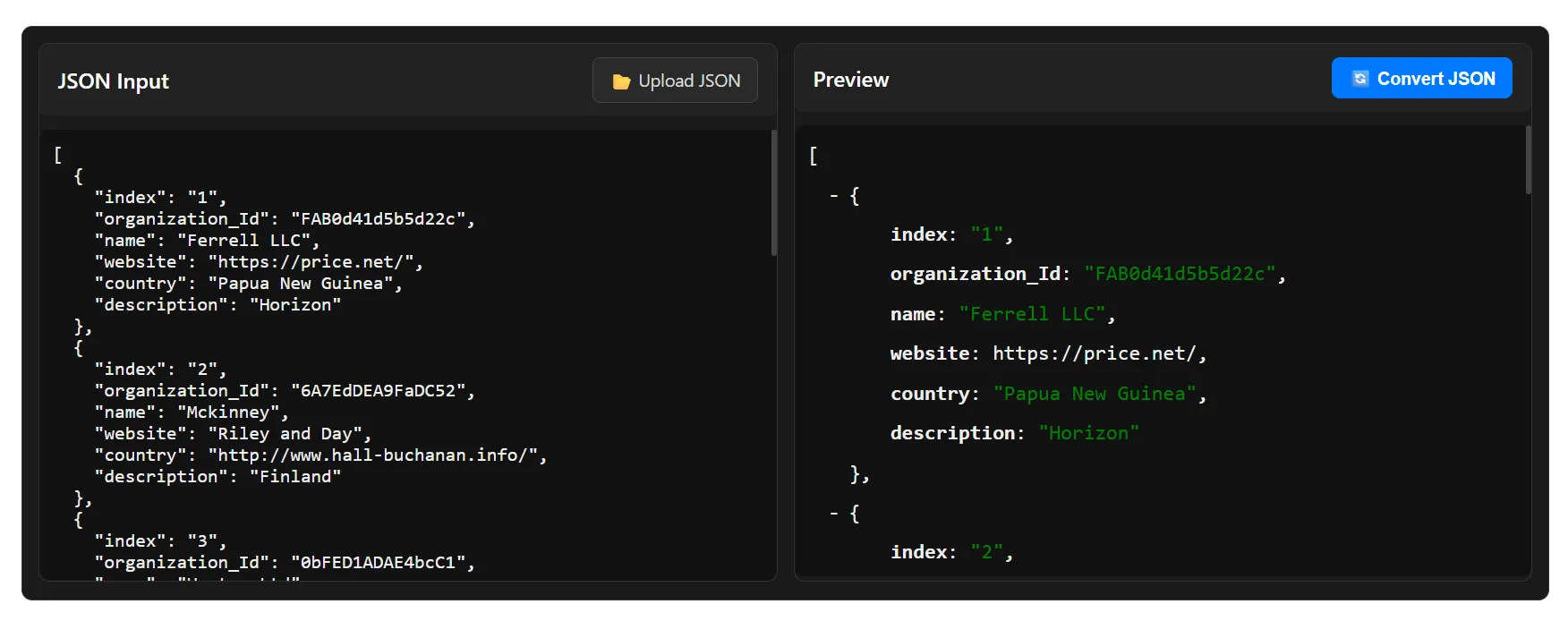
Paste or upload your JSON file -
Convert JSON to XML:
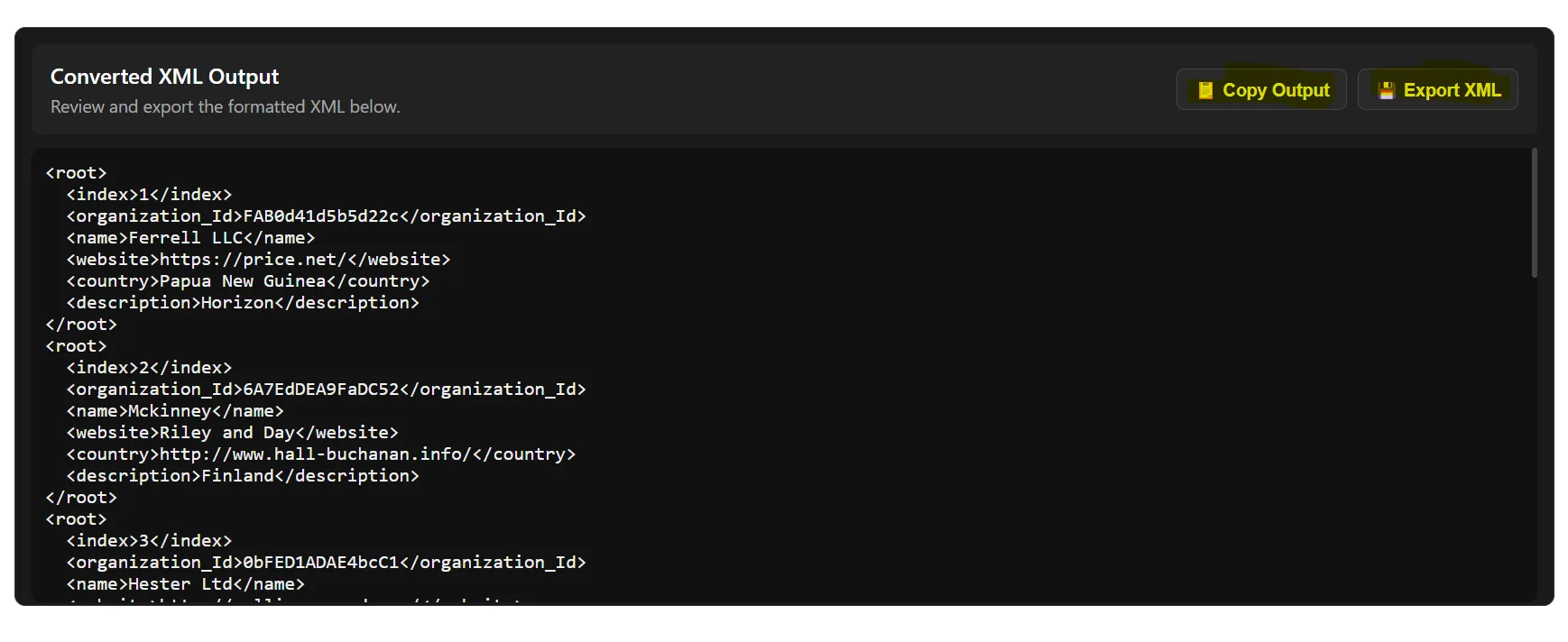
Download your XML file
Benefits
- No installation required — works entirely in your browser.
- Supports nested JSON of any level and complex structures.
- Instant conversion with a clean, readable XML file.
- Fully private — no data is uploaded or stored.
Method 3: Using Editor Extensions or Plugins
Several code editors and IDEs allow JSON → XML conversion via extensions or built-in features. This is ideal for developers working directly in their coding environment.
Visual Studio Code
VS Code has multiple extensions that convert JSON to XML:
Extension 1: JSON to XML Converter
- Install from VS Code Marketplace.
- Open JSON file in VS Code.
- Use the command palette to convert JSON to XML.
- Preview and export XML.
Extension 2: XML Tools
- Provides XML formatting and conversion features.
- Works directly with JSON files through commands.
Sublime Text
Plugins can convert JSON to XML directly in Sublime Text:
Plugin 1: JSON2XML
- Install via Package Control.
- Open JSON file and run the conversion command.
Plugin 2: Sublime XML Tools
- Supports formatting and validation.
IntelliJ IDEA / WebStorm
Built-in tools and plugins allow direct JSON to XML conversion for developers working in JavaScript, Java, or web projects.
Atom
Packages like `json2xml` or `atom-xml-tools` can automate conversions with a few clicks.
Other Editors
Brackets, Notepad++, and Eclipse also offer JSON to XML plugins/extensions.
What to Look for in a Good JSON to XML Converter
- Handles nested JSON and complex structures.
- Preserves key-value integrity during conversion.
- Fast, browser-based or offline options.
- Supports multiple export formats (XML 1.0, XHTML, etc.).
- User-friendly interface with preview options.
- Clear error handling for invalid JSON.
Why Choose Our JSON to XML Conversion Tool
- Supports nested JSON and complex structures of any level.
- Fully browser-based — no installation required.
- Privacy-focused — data never leaves your device.
- Instant conversion with clean, readable XML output.
- Handles very large JSON files efficiently.
Conclusion
Whether you choose manual methods, editor extensions, or our JSON to XML Converter, you can convert JSON to XML safely and efficiently. For nested or complex data, our tool provides the fastest and most reliable solution.
Frequently Asked Questions
How do I convert JSON to XML manually?
You can manually map JSON keys to XML tags using a text editor, but this is suitable only for small JSON files.
Can I convert nested JSON to XML?
Yes, our JSON to XML converter supports nested JSON of any complexity.
Which editor extensions can convert JSON to XML?
Popular options include VS Code extensions like “JSON to XML Converter” or Sublime Text plugins like “JSON2XML.”
Is it safe to use online JSON to XML tools?
Using a privacy-focused browser-based tool like ours ensures your data is not uploaded or stored on a server.
Can Excel convert JSON to XML?
Excel does not natively export JSON to XML, but you can use Power Query to first import JSON and then save as XML using additional tools.
When should I convert JSON to XML?
When you need compatibility with systems requiring XML, for reporting, or to share structured data across platforms.
Why use a converter instead of manual editing?
Converters reduce errors, save time, and handle nested or large datasets efficiently.
Can I convert multiple JSON files at once?
Some editors and our tool support batch conversion for multiple JSON files.
Do all JSON structures work with converters?
Most modern converters handle arrays and objects, but extremely malformed JSON may require validation first.
Which formats of XML are supported?
Common converters support XML 1.0, XHTML, and sometimes custom schema formats.